Mac storage, in depth
Long reads on what fills a Mac, what each part is, and how to get the space back without losing anything. Every post ends with its sources.
Mac storage basics

A Mac maintenance routine for storage: ten minutes a month
A Mac maintenance routine for storage: what to check every month, quarter and year, and the old myths macOS already takes care of, so you can skip them.
· 21 min read
Can you upgrade a Mac's storage? Your real options in 2026
Can you upgrade Mac storage after you buy? Which Macs allow it, what Apple charges at checkout, and the real options: external SSDs, libraries, network and cloud.
· 21 min read

Compress files on a Mac to save space: when it's worth it
How to compress files on a Mac with Finder and Disk Utility, how much a ZIP really saves by file type, and when compressing is worth it.
· 25 min read

Hidden files on a Mac: how to show them, which ones matter
How to show hidden files on a Mac with Command-Shift-Period, open the Library folder, and tell which hidden folders matter for space and which to leave alone.
· 21 min read

"Junk files" on a Mac: what they really are and which to remove
What junk files on a Mac really are: caches, logs, language files, leftovers, installers and duplicates, which to remove, and why junk totals run high.
· 22 min read

"Other Users & Shared" in Mac storage: what it is and how to shrink it
Other Users and Shared Mac storage, explained: which accounts and folders it counts, why it's large on a one-person Mac, and how to shrink it safely.
· 21 min read

Cleaning up the Downloads folder on a Mac without losing anything
How to delete downloads on a Mac safely: sort the folder by size and date, tell installers from only copies, clear browser lists, and keep it from filling up.
· 20 min read

Every category in Mac Storage settings, explained
Mac storage categories, one by one: what Applications, Documents, iOS Files, Developer, System Data and the rest count, and what each information button does.
· 20 min read

How to find duplicate files on a Mac safely
How to find duplicate files on a Mac with Finder, Smart Folders, Photos and Music, why APFS clones free almost nothing, and how to decide which copy to keep.
· 20 min read

How to permanently delete files on a Mac, and when not to
How to permanently delete files on a Mac with Delete Immediately and Empty Trash, why secure erase doesn't apply to SSDs, and how FileVault and erasing protect you.
· 21 min read

Temporary files on a Mac: where they live and how macOS clears them
Temporary files on a Mac: where apps and macOS keep them, how macOS clears them daily and when space runs low, and what's safe to remove yourself.
· 20 min read

Deleted files but no space freed on your Mac? The real reasons
Deleting files doesn't free up space on a Mac while the Trash, a Time Machine snapshot, a clone or an app's Recently Deleted still holds them. Here's each fix.
· 23 min read

How to remove purgeable space on a Mac, and when you shouldn't
How to remove purgeable space on a Mac with Time Machine, Disk Utility, iCloud and Photos settings, and why it's often better to let macOS free it for you.
· 21 min read

Memory vs storage on a Mac: RAM, swap and disk space explained
Memory vs storage on a Mac: what RAM and the SSD each hold, how to check both, how swap links them, and what to weigh when choosing a new Mac.
· 22 min read

The Mac Library folder: what's inside and what's safe to touch
The Mac Library folder explained: the three Library folders, how to open the hidden one, a tour of what's inside, and what's safe to touch.
· 21 min read

Why your Mac's storage keeps filling up by itself
Mac storage keeps filling up when you save nothing? What grows by itself, from snapshots to Messages and AI models, how to find it and how to stop it.
· 23 min read

"Your startup disk is almost full": what it means and what to do
What "your startup disk is almost full" means on a Mac, how to get space back fast and for good, and what "no space left on device" errors are telling you.
· 23 min read

How to check storage on a Mac, and what each number means
How to check storage on a Mac in Storage settings, Finder, Disk Utility and System Information, and what capacity, free, available and purgeable mean.
· 21 min read

How to find large files on a Mac and decide what to keep
How to find large files on a Mac with Storage settings and Finder's search, where big files hide, and how to decide what to keep, move or delete.
· 20 min read

How to free up space on a Mac: the complete guide
How to free up space on a Mac, from Storage settings' recommendations to backups, caches, snapshots and developer files, and what never to remove.
· 26 min read

Is 256 GB enough for a Mac in 2026? A realistic look by use case
Is 256 GB enough for a Mac? A realistic look by use case, from everyday work to video, Xcode, local AI and games, with the makers' own figures.
· 23 min read

Trash won't empty on Mac? Every cause and fix
Trash won't empty on your Mac? Every cause, from files in use, locked items and permissions to external drives, iCloud Drive and disk errors, with safe fixes.
· 20 min read

What is safe to delete on a Mac? A folder-by-folder answer
What is safe to delete on a Mac, folder by folder: caches, logs, Library, Application Support, installers and backups, and the folders never to touch.
· 21 min read

What's taking up space on my Mac? How to find out, folder by folder
What's taking up space on my Mac? Find out with Storage settings, Finder's folder sizes and searches, and where space hides when the folders don't add up.
· 21 min read
System Data and macOS

Document versions on a Mac: DocumentRevisions-V100 explained
DocumentRevisions-V100 on a Mac holds earlier versions of your documents. What it is, why it grows, and how to remove versions safely instead of deleting it.
· 20 min read
Is it safe to delete preferences on a Mac? Why it backfires
Is it safe to delete preferences on a Mac? It frees almost nothing and resets your apps. What .plist files hold, and how to reset one app safely when you must.
· 20 min read

APFS snapshots on a Mac: what makes them and what they cost in space
What makes APFS snapshots on a Mac, how they hold on to space after you delete files, and how to see and remove them safely in Disk Utility.
· 21 min read
Mac storage full after a macOS update: what changed and what to do
Mac storage full after an update? What the update changed: snapshots, Apple Intelligence, Spotlight, Relocated Items and installers, and what's safe to do.
· 20 min read

Macintosh HD and Macintosh HD – Data: APFS volumes explained
What Macintosh HD and Macintosh HD - Data are, why a Mac has both, what Preboot, Recovery and VM hold, and what Disk Utility's Other Volumes means.
· 21 min read

The com.apple folders in your Library: what the big ones do
What the com.apple folders in your Mac's Library are, which app or service each big one belongs to, which are safe to clear and which hold your data.
· 20 min read

Time Machine taking up space on your Mac: snapshots and fixes
Time Machine taking up space on your Mac? What its local snapshots hold, why they grow when backups stop, and how to get the space back safely.
· 21 min read

What happened to "Other" storage on the Mac?
Other storage on Mac became System Data in macOS Monterey. What Other held before and after Sierra, where it counts today, and what older Macs still show.
· 20 min read

/private/var/folders on Mac: what it is and why it grows
What /private/var/folders on a Mac holds, why it grows, what macOS clears by itself, and how to find the app filling it without deleting the folder.
· 21 min read

How much free space does a macOS update need?
How much space does a macOS update need? Download size against working space, minor and major updates, and what measured updates really asked for.
· 21 min read

Old macOS installers and update files: can you delete them?
Yes, you can delete old macOS installers. Which installer apps, packages and iPhone files are safe to remove, and which update files to leave to macOS.
· 21 min read

Swap files and the sleep image on Mac: why they take space
Swap files on a Mac: how macOS uses disk space as extra memory, what the sleep image is for, how to check both, and why a restart beats deleting them.
· 21 min read

System caches on a Mac: /Library/Caches, /private/var/folders and more
System caches on a Mac live in /Library/Caches, /System/Library/Caches and /private/var/folders. What each holds, what macOS clears and what you can.
· 20 min read

The Spotlight index on Mac: .Spotlight-V100 and why it can grow
Spotlight index taking up space? Where .Spotlight-V100 and Core Spotlight live, how big they should be, why they grow, and how to rebuild the index safely.
· 21 min read

Containers and Group Containers on Mac: sandboxed app data explained
What Containers and Group Containers on a Mac hold, why they outlive the apps that made them, and which parts are safe to delete without losing app data.
· 21 min read

How much space does Apple Intelligence use on a Mac?
Apple Intelligence storage on a Mac: what Apple says it needs, why Storage settings can show more on macOS 27, and what you can and can't remove.
· 21 min read

How to clear cache on a Mac: every cache, explained
How to clear cache on a Mac: Safari, Chrome and Firefox, app and developer caches, and macOS's own, each with its owner's controls and what it costs.
· 20 min read

How to clear System Data on a Mac safely, step by step
How to clear System Data on a Mac, step by step: restart, snapshots, caches, logs, developer files and app leftovers, with what each step frees and costs.
· 24 min read
Is it safe to delete ~/Library/Caches? What happens when you do
Is it safe to delete Library caches on a Mac? What ~/Library/Caches holds, what happens when you clear it, the exceptions, and how to do it in Finder.
· 21 min read
Mac log files and crash reports: where they are and what to keep
Are Mac log files safe to delete? Where logs and crash reports live, which ones macOS manages, what to keep, and how to clear the rest in Console or Finder.
· 21 min read

Not enough space to install macOS? How to make room for the update
Not enough space to install macOS? Where to find room for the update, which storage number to trust, and what to do when the installer still says no.
· 20 min read

The Application Support folder on Mac: what's in it and what's safe
What the Application Support folder on a Mac holds, which parts are safe to delete, and how to free space there without losing app data or settings.
· 21 min read
What is System Data on a Mac? Every part, explained
What is System Data on a Mac? How Storage settings works it out, every part inside it, which parts you can clear and which macOS manages itself.
· 22 min read
Developer storage

Flutter and Dart on a Mac: pub cache, SDKs and builds
Where the Flutter pub cache lives on a Mac, what the SDK, FVM versions and each project's build folders hold, and what's safe to clear without losing work.
· 21 min read

Old SDKs, toolchains and version managers on a Mac
Old SDKs on a Mac pile up: nvm, pyenv, SDKMAN, rustup and Android Studio keep every version. Find what your projects use and remove the rest safely.
· 21 min read

Uninstall Android Studio from a Mac, SDK and all
How to uninstall Android Studio on a Mac completely: back up signing keys, then remove the app, the SDK, emulators, .android, Gradle and each version's settings.
· 21 min read

Uninstall Java and old JDKs on a Mac
How to uninstall Java on a Mac: Oracle's Java 8 plug-in, JDKs in /Library/Java, Homebrew's OpenJDK, SDKMAN and the JDKs inside IDEs, and what still needs one.
· 20 min read

Uninstall Node.js on a Mac: installer, Homebrew and nvm
How to uninstall Node on a Mac: find which Node.js you have, remove the installer's files in Finder, let Homebrew or nvm remove theirs, and keep what still needs it.
· 20 min read

Unity and Unreal Engine caches on a Mac: what's safe
Where the Unity cache lives on a Mac, what Unreal's Derived Data Cache holds, which project folders rebuild, and how to remove old editors and engine versions.
· 21 min read

Exclude developer folders from Time Machine on a Mac
How to exclude node_modules from Time Machine on a Mac, which developer folders are worth leaving out, which tools already do it, and what to keep.
· 21 min read

How much storage do you need for iOS development on a Mac?
How much storage you need for iOS development on a Mac: what Xcode, runtimes, simulators, DerivedData and archives take, and a budget by kind of developer.
· 21 min read

How to uninstall Docker Desktop on a Mac completely
How to uninstall Docker Desktop on a Mac: save volumes first, use Uninstall in Troubleshoot, then clear the leftovers, helpers and links it leaves behind.
· 19 min read
How to uninstall Xcode completely, and what to keep
How to uninstall Xcode completely: delete runtimes first, remove the app, clear ~/Library/Developer, and keep your archives and signing identities.
· 20 min read

JavaScript build caches: .next, Turborepo, Vite and friends on Mac
Next cache folder size explained: what fills .next, Turborepo, Vite and other build caches on a Mac, what is safe to delete, and how to keep them small.
· 21 min read

Local databases on Mac: Postgres, MySQL, Redis and SQLite files
Postgres data folder size on a Mac, and where MySQL, Redis, MongoDB and SQLite keep data: what grows by itself and how each database reclaims space.
· 21 min read

Ruby gems and rbenv versions on Mac: freeing old space
What gem cleanup does with old versions of gems, and how to free space on a Mac from old rbenv, rvm, asdf and mise Rubies, Bundler caches and vendor/bundle.
· 22 min read

Rust's target folders and Cargo caches: reclaiming space on Mac
Why the cargo target folder size keeps growing on a Mac, what cargo clean removes, and how to clear Cargo's caches and old Rust toolchains safely.
· 21 min read

SwiftUI Previews and Xcode's hidden data: the space they take
SwiftUI previews disk space, explained: where Xcode keeps its preview, test and playground simulators and caches, what each costs, and how to clear them safely.
· 20 min read

The Go build cache and module cache on Mac
Where the Go build cache lives on a Mac, what go clean removes, and how to clear the build cache and the read-only module cache in ~/go/pkg/mod safely.
· 20 min read

Uninstall Python and Anaconda on a Mac without breaking anything
How to uninstall Python on a Mac: python.org, Homebrew, pyenv, uv and Anaconda, what each removal breaks, and why Apple's own python3 stays.
· 21 min read
UTM, Parallels and VirtualBox on Mac: reclaiming virtual machine space
How to make Parallels reclaim disk space, use the space tools in UTM, VirtualBox and VMware Fusion, and clear the snapshots that hold space on your Mac.
· 21 min read

~/Library/Developer is huge: what every folder inside it does
Library Developer folder huge? What every folder in ~/Library/Developer does, which ones hold the space, what's safe to delete and what can't come back.
· 21 min read

CocoaPods, Swift Package Manager and Carthage caches on Mac
The CocoaPods cache on a Mac, Swift Package Manager's and Carthage's: where each lives, what's inside, what's safe to clear in Finder and what it costs.
· 21 min read

Colima, Podman and Lima disk space on Mac
Colima disk size explained: the default ceilings, the space Colima, Podman and Lima really use on a Mac, and how to get it back safely with each tool.
· 22 min read

Gradle and Maven caches on Mac: sizes and what's safe to clear
Gradle cache size on Mac explained: what ~/.gradle/caches and Maven's ~/.m2 hold, how Gradle trims itself, and what's safe to clear in Finder.
· 20 min read

JetBrains IDE caches on Mac: IntelliJ, PyCharm, WebStorm and old versions
JetBrains caches on a Mac: where IntelliJ, PyCharm and WebStorm keep indexes, settings and logs per version, and how to clear old versions safely.
· 22 min read

Old Python environments on Mac: conda, venvs and pyenv versions
Conda taking up space on your Mac? What conda environments, its package cache, project venvs and pyenv or uv Python versions hold, and how to remove them.
· 21 min read

Playwright, Puppeteer and Cypress browser downloads on Mac
Playwright browsers' size, Puppeteer's Chrome builds and Cypress's app cache on a Mac: where each lives, why they pile up, and what's safe to remove.
· 21 min read

Python caches on Mac: pip, uv and Poetry, and how to clear them
The pip cache on a Mac, plus uv's and Poetry's: where each lives, what it holds, what's safe to clear in Finder and what each tool's cleanup removes.
· 20 min read

VS Code taking up space on Mac: caches, extensions, workspaces
VS Code taking up space on your Mac? What its extensions, caches, packages and project state hold, what VS Code trims itself, and what's safe to clear.
· 20 min read

Xcode DerivedData: what it is, where it lives, how to delete it
How to delete derived data in Xcode safely: what each DerivedData folder holds, Xcode 27's new command, Clean Build Folder, worktrees and CI.
· 21 min read

Android Studio taking too much space on Mac: SDK, emulators, caches
Android Studio taking too much space on a Mac? Where the SDK, emulators, Gradle and caches go, what's safe to remove, and how to do it in Android Studio.
· 21 min read

CoreSimulator taking up space: Devices, Caches and dead data explained
CoreSimulator taking up space on your Mac? What the Devices, Dead and Caches folders hold, which simulator is which, and what's safe to remove in Xcode.
· 21 min read

Cursor, Claude Code and Copilot: how AI coding tools fill a Mac
Cursor taking up space on your Mac? What Cursor, Claude Code, Copilot and Codex keep: chat histories, logs, worktrees, caches, and what's safe to remove.
· 21 min read

Docker Desktop disk space on Mac: what Docker.raw really holds
Docker Desktop disk space on a Mac lives in one sparse file, Docker.raw. What it holds, its real size, and how to free space without losing data.
· 22 min read
Free up disk space on a developer's Mac: the complete guide
How to free up disk space on a developer's Mac: Xcode, Docker, package caches, node_modules, toolchains and AI models, where each lives and what's safe.
· 21 min read

Homebrew disk space on Mac: the cache, old versions and cleanup
Homebrew cleanup and disk space on a Mac: the download cache, old versions, logs and casks, what Homebrew removes by itself and what to clear in Finder.
· 20 min read

How to delete all node_modules folders on a Mac safely
How to delete all node_modules folders on a Mac safely: find them in Finder, keep active projects, and what npm, pnpm, Yarn and Bun each give back.
· 21 min read

How to delete old iOS simulator runtimes and devices on a Mac
How to delete old simulator runtimes and simulators in Xcode 26 and 27, where each lives, what removal costs, and what to do when Xcode won't list one.
· 21 min read

iOS DeviceSupport and Xcode Archives: what's safe to delete
Is iOS DeviceSupport safe to delete? Which device support sets and Xcode archives you can remove, which to keep for crash reports, and how to move them.
· 21 min read

npm, Yarn, pnpm and Bun caches on Mac: sizes, locations, cleanup
How to clear npm cache on a Mac, and Yarn's, pnpm's and Bun's: where each cache lives, how big it gets, and what clearing it costs.
· 20 min read

OrbStack disk usage on Mac: the 8 TB file that isn't 8 TB
OrbStack disk usage on a Mac, explained: why data.img shows 8 TB, how to see the space it really takes, and how to free it safely in OrbStack.
· 21 min read

Why Xcode takes up so much space, and how to get it back
Xcode taking up too much space? What each part is, from simulator runtimes to DerivedData and archives, what removing it costs, and how to clear it in Xcode.
· 23 min read
Local AI models

ChatGPT, Claude and Gemini apps: what they store on a Mac
ChatGPT app storage on a Mac, explained with Claude and Gemini: what each app keeps locally, what stays in your account, and how to clear or uninstall it.
· 20 min read

AI models hidden inside Mac apps: Chrome's Gemini Nano and more
The Chrome on-device model on a Mac, Firefox's models, dictation and image apps: what each downloads, where it lives, and the setting that keeps it gone.
· 21 min read

How much storage do local AI models need on a Mac?
How much storage for a local LLM on a Mac: the arithmetic from parameters and quantization, real sizes from model libraries, and memory versus disk.
· 20 min read

Keeping local AI models on an external drive on a Mac
Keep Ollama models on an external drive, plus LM Studio, Hugging Face and Draw Things: each app's folder setting, the right format, and what happens unplugged.
· 22 min read

Speech and transcription models on Mac: Whisper and the apps that use it
Whisper models on a Mac: how big each size is, where MacWhisper, VoiceInk, Superwhisper and command-line tools keep them, and how to remove them safely.
· 23 min read

Image generation models on Mac: Draw Things, DiffusionBee and ComfyUI
Where the Draw Things models folder is on a Mac, how DiffusionBee and ComfyUI store theirs, how big image and video models get, and how to remove them.
· 21 min read

MLX and llama.cpp models on Mac: where they're stored and how to remove them
The llama.cpp models location on a Mac, where MLX models go, how big GGUF and MLX files get, and how to remove them in Finder or in the tools themselves.
· 21 min read
How to delete Ollama models and free up space on a Mac
Where Ollama keeps models on a Mac, why the files have hashed names, how big they get, and how to delete Ollama models without breaking the ones you keep.
· 21 min read

The Hugging Face cache on Mac: where models go and how to clear them
The Hugging Face cache location on a Mac, what its hashed folders hold, why it keeps growing, and how to clear models, old revisions and downloads safely.
· 20 min read

The LM Studio models folder on Mac: find, move and delete models
Where the LM Studio models folder is on a Mac, what's inside it, how to delete models you no longer use, and how to move the folder to an external drive.
· 20 min read
Photos, Messages, Mail and iPhone

Find and merge duplicate photos on a Mac with the Photos app
How to find duplicate photos on a Mac with Photos' Duplicates collection: what counts, what Merge keeps, where the extras go, and how iCloud Photos changes it.
· 20 min read

GarageBand and Logic Pro sound libraries: reclaim space
GarageBand sound library size explained: what loops, instruments and Logic Pro sound packs take, and how to remove or move them with Apple's own controls.
· 22 min read

iMovie and Final Cut Pro libraries: render files and caches
iMovie library taking up space? What iMovie and Final Cut Pro libraries hold, how to delete render and generated files safely, and how to move footage to a drive.
· 20 min read

Notes, Freeform and Voice Memos: how Apple's small apps grow
Why the Notes app is taking up space on a Mac, how Freeform boards and Voice Memos recordings grow, and how to trim each one safely in the app itself.
· 20 min read

Podcasts and TV app downloads on a Mac: find and remove
How to delete podcasts from your Mac and remove Apple TV app downloads, stop new ones piling up, and get purchases back when you want them again.
· 20 min read

Screenshots and screen recordings piling up on a Mac
How to find and delete screenshots on a Mac in bulk, why screen recordings take far more space, and how to stop new captures from filling the Desktop.
· 20 min read

Delete photos from your Mac but not iCloud: how it really works
How to delete photos from your Mac but not iCloud: why deletes sync, when Optimize Mac Storage is enough, and how to turn off sync safely first.
· 20 min read

iPhone software update files on a Mac: are they safe to delete?
IPSW files on a Mac are full copies of iPhone and iPad software, 11–13 GB each. Where they live, why they stay, and when they're safe to delete.
· 20 min read

Move your Photos library to an external drive, safely
How to move your Photos library to an external drive on a Mac: the right format, Apple's steps, iCloud Photos, backups, and fixing errors after the move.
· 19 min read

The Music library taking up space on Mac: downloads, artwork, cache
Music library taking up space on your Mac? Where downloads, lossless files, artwork and the cache live, and how to remove them in the Music app safely.
· 20 min read

"iOS Files" in Mac storage: what it is and how to clear it
iOS Files in Mac storage is iPhone and iPad backups plus software update files. What each is, which are safe to clear, and why Delete there can't be undone.
· 20 min read

Mail storage on Mac: downloads, attachments and the Mail folder
Mail storage on Mac, explained: what the Mail folder and Mail Downloads hold, how to shrink them in Mail, and which deletions reach your server.
· 22 min read

Messages taking up space on Mac: attachments and how to trim them
Messages taking up space on Mac? Why attachments pile up, how to delete them safely in Messages, and what Keep messages and Messages in iCloud change.
· 20 min read

Photos taking up too much space on Mac? What's really in the library
Photos taking up space on Mac? What the library holds, why it stays large with iCloud Photos, and how to shrink it in Photos without losing originals.
· 21 min read

Where iPhone backups are stored on a Mac, and how to move them
Where are iPhone backups stored on Mac? In the MobileSync Backup folder. How to find each one, encrypt it, move it to a drive or switch to iCloud.
· 21 min read
Apps and uninstalling

"Scratch disks are full" in Photoshop on a Mac: the fixes
Why Photoshop on a Mac says its scratch disks are full, and Adobe's fixes in order: free space, choose another scratch disk, store less, reset preferences.
· 20 min read

Applications taking up space on a Mac: sizing every app
Applications taking up too much space on your Mac? See every app's size in Storage settings and Finder, why apps get so big, and which are worth removing.
· 19 min read

Apps that won't delete on a Mac: every reason and fix
How to delete apps on a Mac that won't delete: quit what's running, use the Apps view or Finder, and handle built-in, managed and suite apps.
· 22 min read

DaVinci Resolve cache and render files on a Mac
Where the DaVinci Resolve cache on a Mac lives, how to clear render cache, optimized media and proxies from inside Resolve, and which files are your work.
· 21 min read

DMG and PKG files on Mac: safe to delete after installing?
Can you delete DMG files on a Mac after installing? Usually yes: eject the disk image, keep installers you can't get again, and leave package receipts alone.
· 21 min read
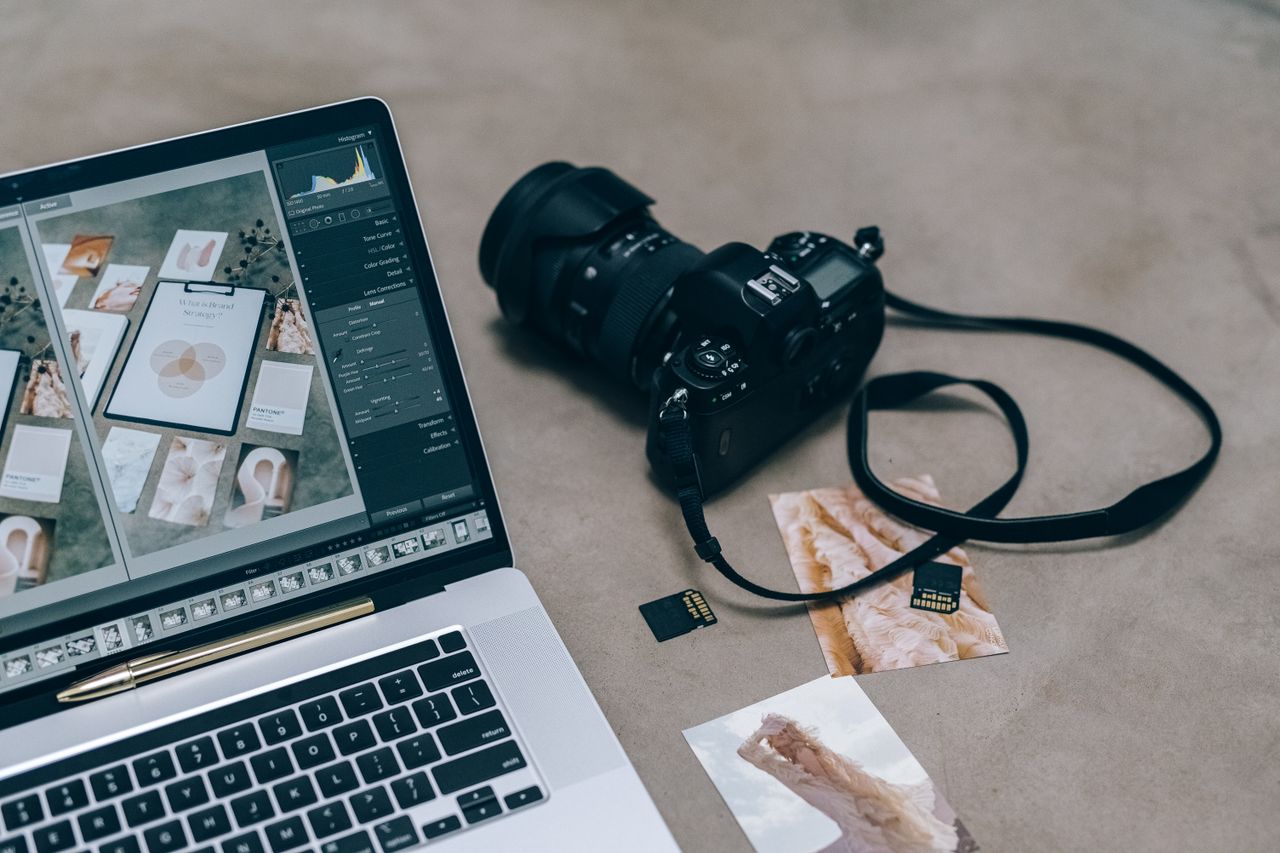
Lightroom Classic taking up space on a Mac: what to clear
Lightroom taking up space on a Mac? What's in Previews.lrdata, the caches and old catalog backups, what Lightroom Classic rebuilds, and what you must never delete.
· 20 min read

Removing language files and Intel code from Mac apps
Should you remove language files on a Mac, or strip Intel code from apps? What they are, why it breaks signatures, and what it really saves.
· 20 min read

Slack, Teams, Discord and Zoom caches on a Mac
How to clear the Teams cache on a Mac, plus Slack's and Discord's, what each costs you, and where Zoom keeps local recordings that aren't a cache at all.
· 20 min read

Spotify, Prime Video and other streaming downloads on a Mac
How to clear Spotify cache on a Mac without losing downloads, and where Prime Video, Netflix, Amazon Music and Apple TV keep what they save offline.
· 20 min read

Steam and game storage on a Mac: libraries and caches
Steam taking up too much space on your Mac? See where games live, uninstall or move them with Steam's Storage settings, and keep your saves safe.
· 20 min read

The Adobe media cache on a Mac: Premiere and After Effects
What the Adobe media cache on a Mac holds for Premiere and After Effects, where it lives, and how to clear it, limit it or move it to another drive safely.
· 21 min read

Uninstall Adobe Creative Cloud on a Mac, apps and all
How to uninstall Adobe Creative Cloud on a Mac in Adobe's order: each app first, then the desktop app, the Cleaner Tool if needed, and what stays behind.
· 21 min read

Uninstall Microsoft Office on a Mac, hidden data included
How to uninstall Microsoft Office on a Mac with Microsoft's own steps: the apps, their containers and group containers, and what to save from Outlook first.
· 20 min read

WhatsApp, Telegram and WeChat storage on a Mac
WhatsApp taking up space on your Mac? Where WhatsApp, Telegram, WeChat and Signal keep chats and media, and how to free space safely in each app.
· 20 min read

Leftover files after uninstalling Mac apps: where they hide
How to remove leftover files after uninstalling Mac apps, folder by folder: what's safe to clear, which background items to stop, and what may be your own data.
· 21 min read
Browsers and iCloud

Clear cookies on a Mac without losing every login
How to clear cookies on a Mac in Safari, Chrome, Firefox, Edge and Brave, one site at a time or all at once, and keep the logins you care about.
· 21 min read

Desktop and Documents in iCloud: what it does to storage
What iCloud Desktop and Documents really does: where your files go, when it saves Mac space, what turning it off leaves behind, and what to keep out.
· 21 min read

Dropbox, OneDrive and Google Drive on a Mac: free up space
Dropbox taking up space on Mac? How Dropbox, OneDrive, Google Drive and Box keep files, and how to make them online-only without deleting them from the cloud.
· 22 min read

Firefox, Edge, Brave and Arc on a Mac: caches and profiles
How to clear the Firefox cache on a Mac without signing out, plus Edge, Brave and Arc: where each keeps its cache and profiles, and what never to delete.
· 20 min read

iCloud storage full: what's using it and how to make room
iCloud storage full? See what's using it from your Mac, what stops working when it runs out, and how to make room safely or choose a bigger plan.
· 23 min read

The bird process and iCloud's local cache on a Mac
com.apple.bird taking up space? What the bird process does for iCloud Drive, which folders it uses, and the safe ways to make iCloud Drive release space.
· 20 min read

Chrome taking up space on Mac: cache, profiles and its AI model
Chrome taking up space on a Mac? Where its cache, profiles, site data and on-device AI model live, and how to clear each one with Chrome's own settings.
· 20 min read

Safari cache and website data on Mac: what it stores and how to clear it
How to clear Safari cache on a Mac with Empty Caches, what Safari's website data, cookies and history hold, and what removing each one costs you.
· 21 min read

iCloud Drive taking up space on Mac: Optimize Storage explained
iCloud Drive taking up space on Mac? Why it keeps full copies, what Optimize Mac Storage really does, and how Remove Download frees space without deleting.
· 20 min read
Backups and external drives
APFS, Mac OS Extended or exFAT: formatting a drive for a Mac
APFS vs exFAT and Mac OS Extended: which format to choose for an SSD, a hard disk, Time Machine, a Windows drive or a camera card, and how to erase in Disk Utility.
· 20 min read

Back up your Mac before a big cleanup: a practical checklist
How to back up your Mac before a cleanup: a fresh Time Machine backup, a test restore, what sync services miss, and how to undo a mistake afterwards.
· 20 min read

External drive full but no files? Where the space went
External drive full but no files on your Mac? The space is usually in the drive's own Trash, a backup, a snapshot or another volume. How to find each one.
· 22 min read

Free up Mac space with an external drive: what to move
How to use an external hard drive to free up space on a Mac: what moves well, each app's supported way to move it, what to leave alone, and why it needs a backup.
· 20 min read

How to delete old Time Machine backups safely
How to delete Time Machine backups safely: what Time Machine already removes by itself, the ways macOS still offers, and what each one costs you.
· 21 min read

Time Machine backup disk full: what happens and what to do
Time Machine backup disk full? Why that's usually normal, when it stops your backups, and the fixes: exclusions, a bigger disk, a volume limit.
· 20 min read
Tools and comparisons

Disk Utility for storage: volumes, snapshots and First Aid
How to read Disk Utility for storage on a Mac: containers and volumes, used, free and purgeable space, APFS snapshots, First Aid, new volumes and disk images.
· 21 min read

Fake Mac cleanup guides and Terminal scams: how to spot them
A fake Mac cleanup Terminal command can install password-stealing malware. How these guides and fake cleaner apps work, how to spot them, and what to do next.
· 21 min read

How to check folder size on a Mac with Finder
How to check folder size on a Mac in Finder: Get Info, the Inspector, Calculate all sizes in list view, searching by size, and why the numbers can mislead.
· 20 min read

How to track what's growing on your Mac's disk over time
How to track disk usage over time on a Mac: what usually grows, what Storage settings, Finder and Disk Utility can show, and how to keep a simple log.
· 21 min read

The best app uninstallers for Mac, and what they remove
The best uninstaller for Mac, compared honestly: AppCleaner, Pearcleaner, App Cleaner & Uninstaller and CleanMyMac, how each finds leftovers, and where files go.
· 21 min read
DaisyDisk alternatives: disk maps and analyzers for Mac
The right DaisyDisk alternative depends on why you're switching: free, open-source and paid disk maps for Mac, and tools that explain what's safe to delete.
· 20 min read

Do you need a Mac cleaner app? What macOS already does for you
Do you need a Mac cleaner? What macOS already clears by itself, where a tool really helps, and the risks of one-click cleaners and fake cleanup guides.
· 21 min read

The best disk space analyzers for Mac, compared honestly
The best disk space analyzer for Mac, compared by what each does and costs: DaisyDisk, GrandPerspective, OmniDiskSweeper, Disk Inventory X and Storage settings.
· 20 min read